brace-json-viewer
 Brace – JSON Viewer
A Chrome extension that shows JSON the way your IDE does: clean indentation, indent guides, line numbers, collapsible sections and one-click copy. Everything runs locally in your browser.
Features
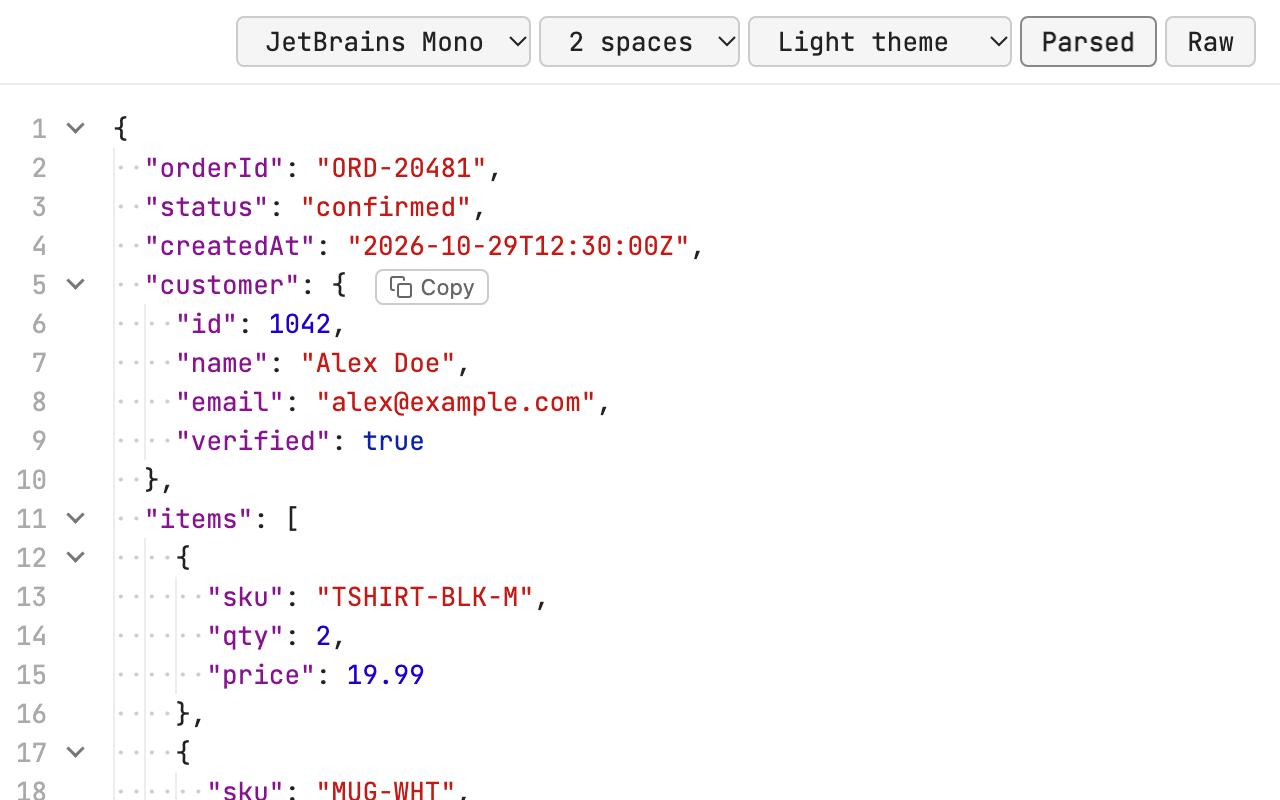
- Indent of your choice: 2 spaces (default) or 4 spaces
- IDE-style indent guides: vertical guide lines plus faint dots for each indent space
- Line numbers that keep their original values when you collapse sections
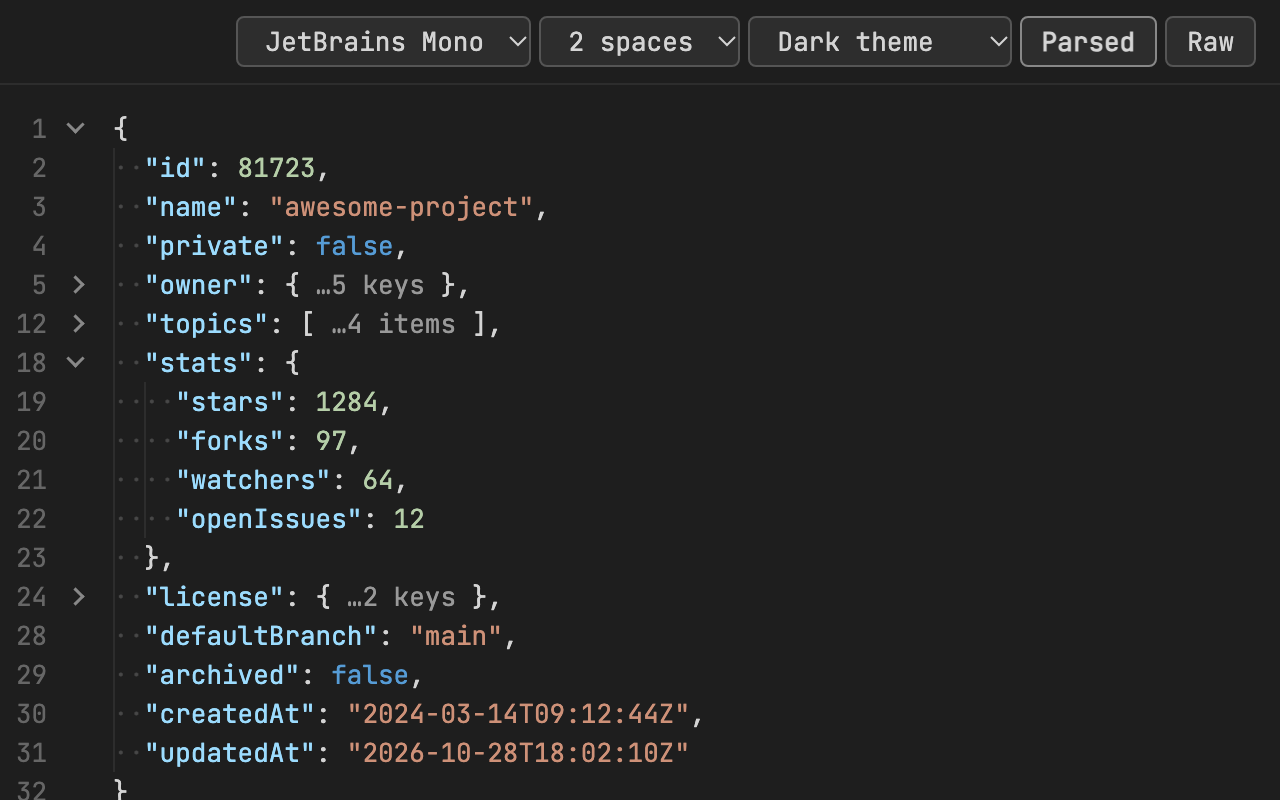
- Collapse and expand any object or array; collapsed sections show how many items or keys they hold
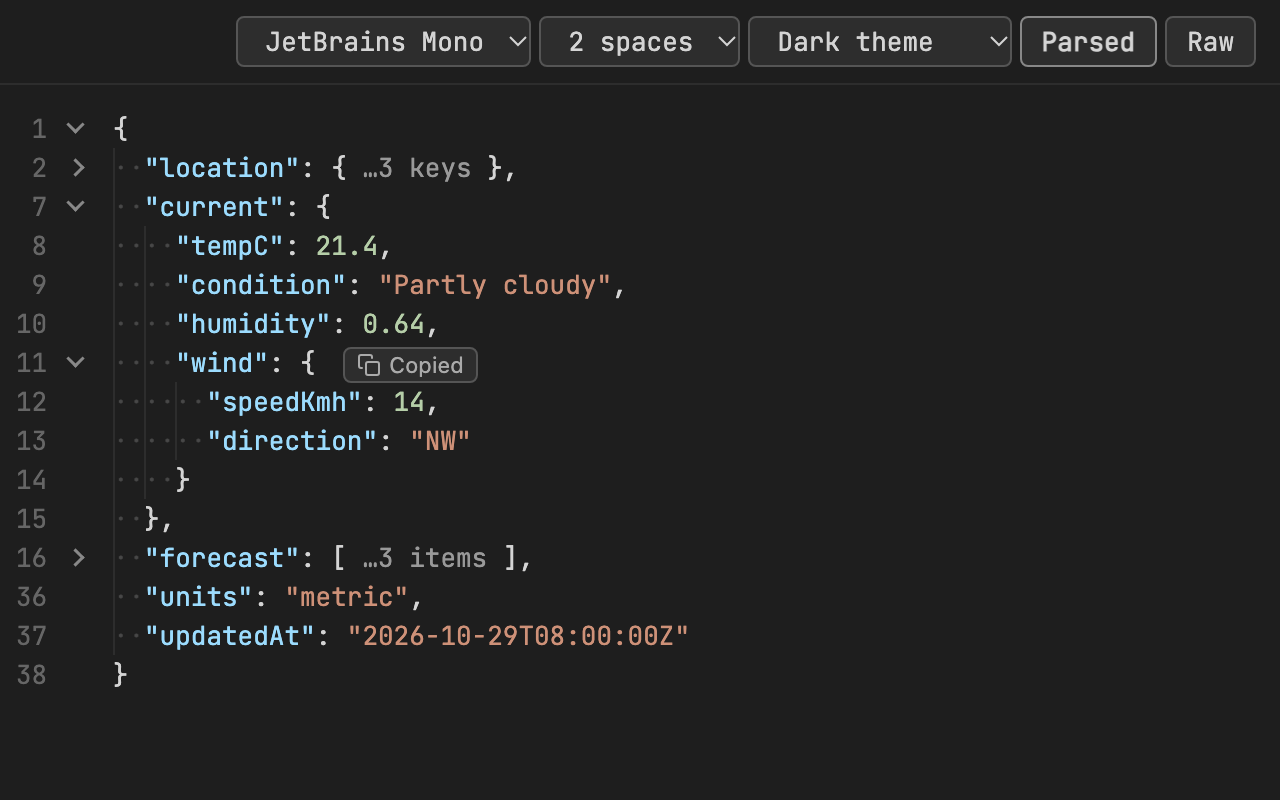
- One-click copy: hover over any object or array and click Copy to put it on your clipboard, formatted with your chosen indent
- Colour highlighting for keys, strings, numbers, booleans and null
- Light, Dark or System theme (follows your OS by default)
- Font choice: JetBrains Mono (bundled), or Monaco and Menlo on macOS
- Parsed / Raw toggle
- Settings are saved and sync across your Chrome browsers
Screenshots
 |
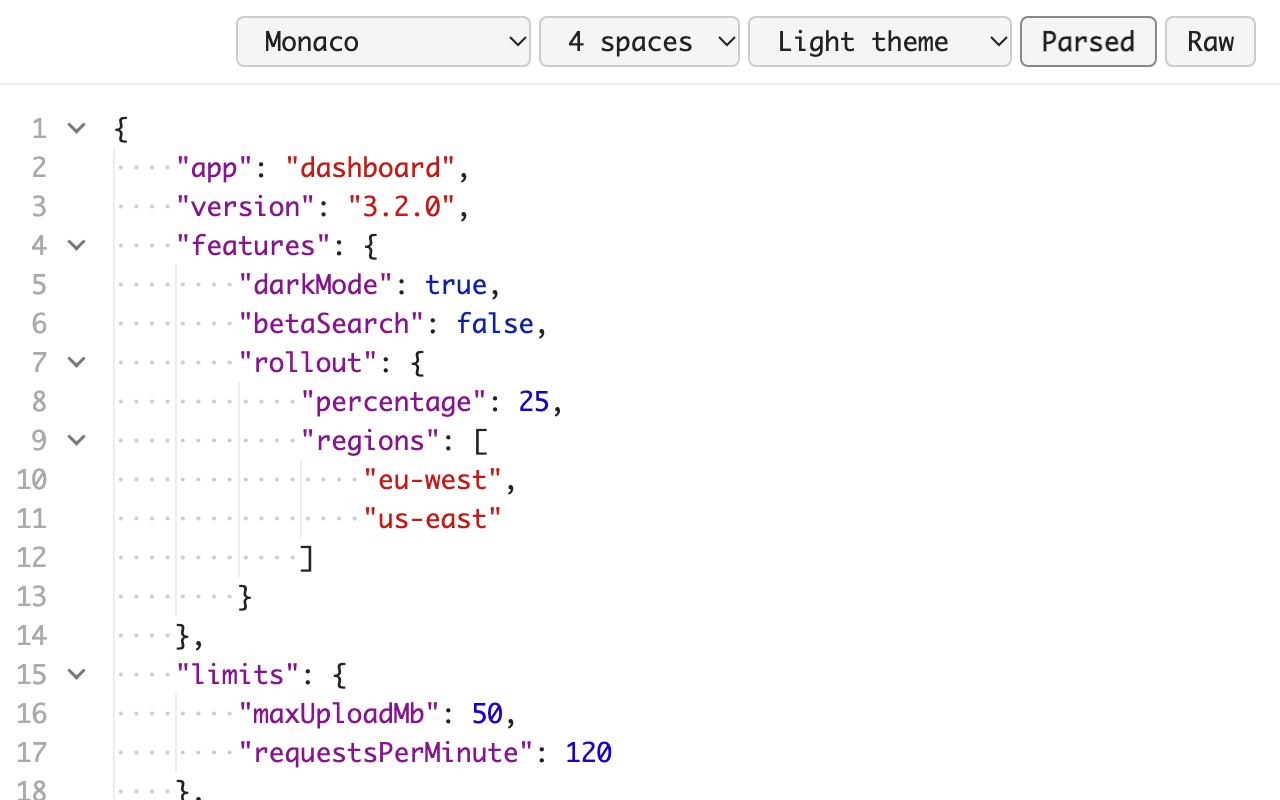 |
| Dark theme, collapsed sections | 4-space indents, Monaco font |
 |
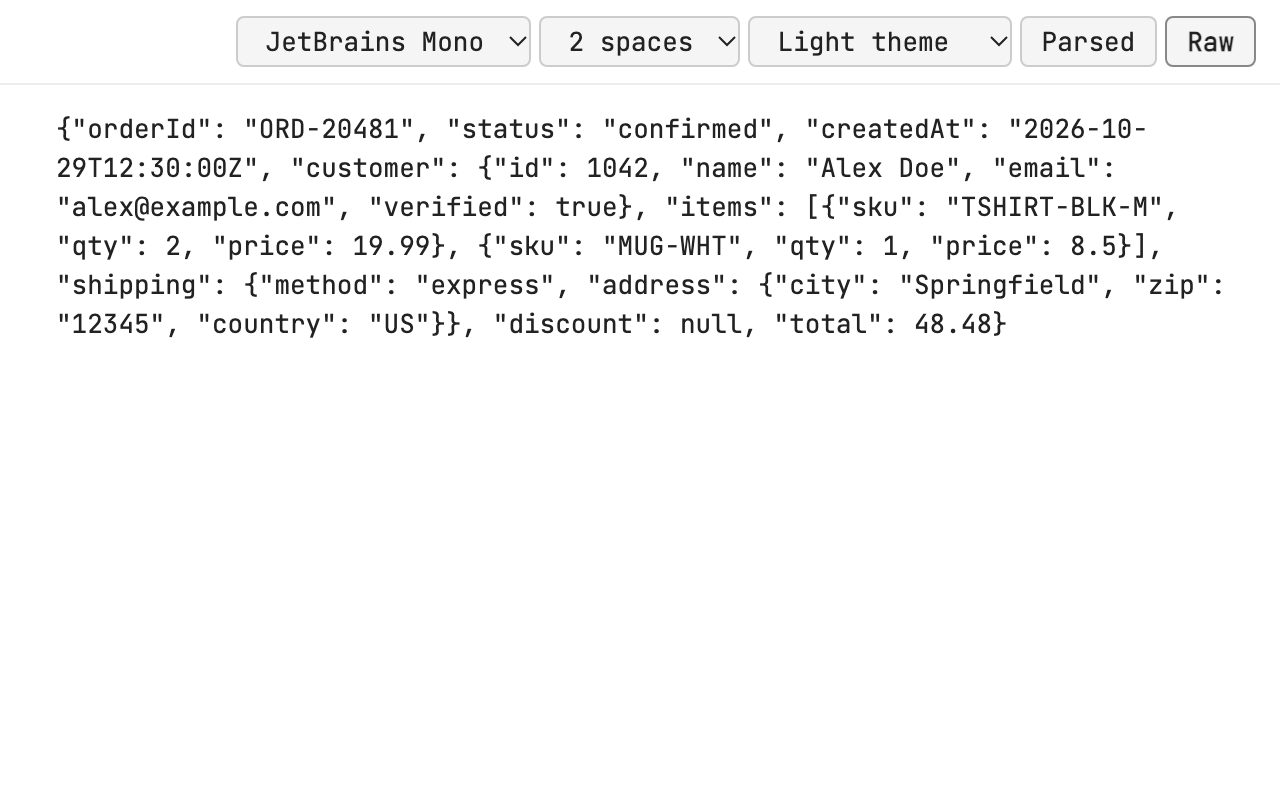 |
| One-click copy | Raw view |
Install from source
- Clone this repo.
- Open
chrome://extensionsand turn on Developer mode. - Click Load unpacked and select the cloned folder.
- Turn off any other JSON formatter extension so the two don’t conflict.
- Optional: to format local
.jsonfiles, open the extension’s Details and turn on Allow access to file URLs.
Privacy
Brace collects no data and makes no network requests. See the privacy policy.
Credits
JetBrains Mono is bundled under the SIL Open Font License 1.1 (see OFL.txt).